

Turn
a strange text
into a POV video that hooks to the end
The method I use to create animated first-person story videos with AI: script, voices, animated scenes, captions, thumbnail and the "What would you do?" ending that makes viewers beg for part 2. No drawing, no showing your face, no recording your own voice.
The same story.
A different result.
Nobody stops scrolling to read a block of text. But people watch to the end when the story happens to them: their phone buzzes, the alarm goes off and they have to decide.
Attack on Berlin: residents told to seek shelter
In the early afternoon, emergency alerts were sent to phones across the city center. Authorities asked residents to go to the nearest shelter while the situation remains unclear...
Real videos, not promises
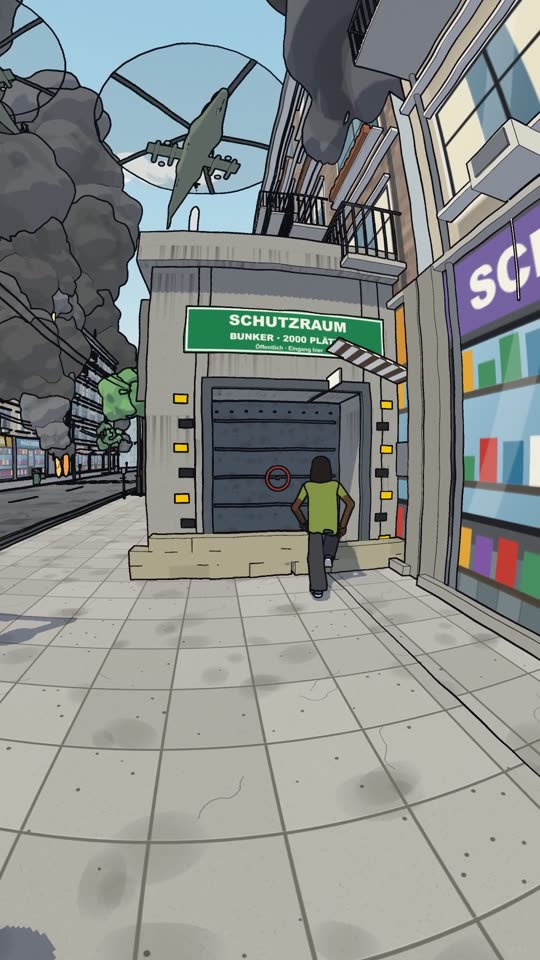
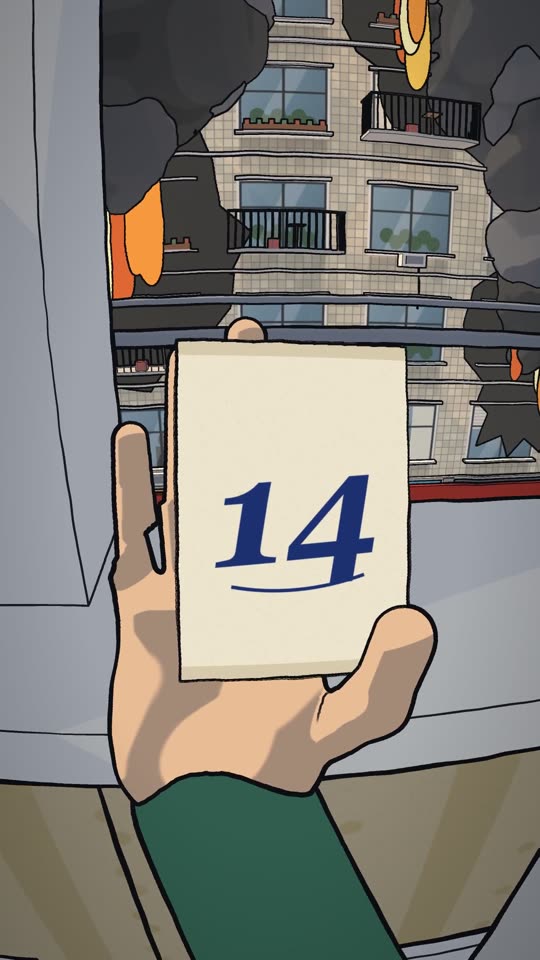
Scenes from the series "Die Liste von Berlin", made with the method for a German channel. Hover (or tap) to play a clip.
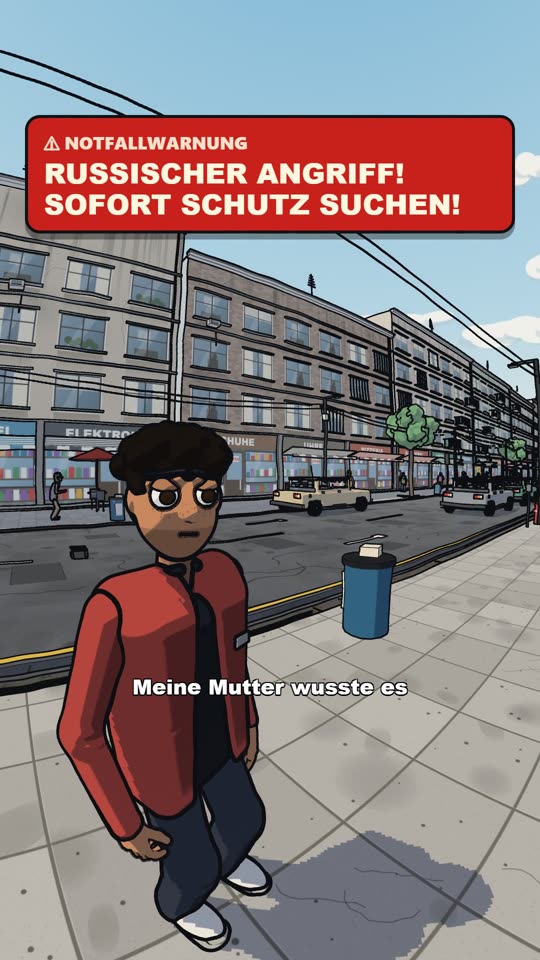
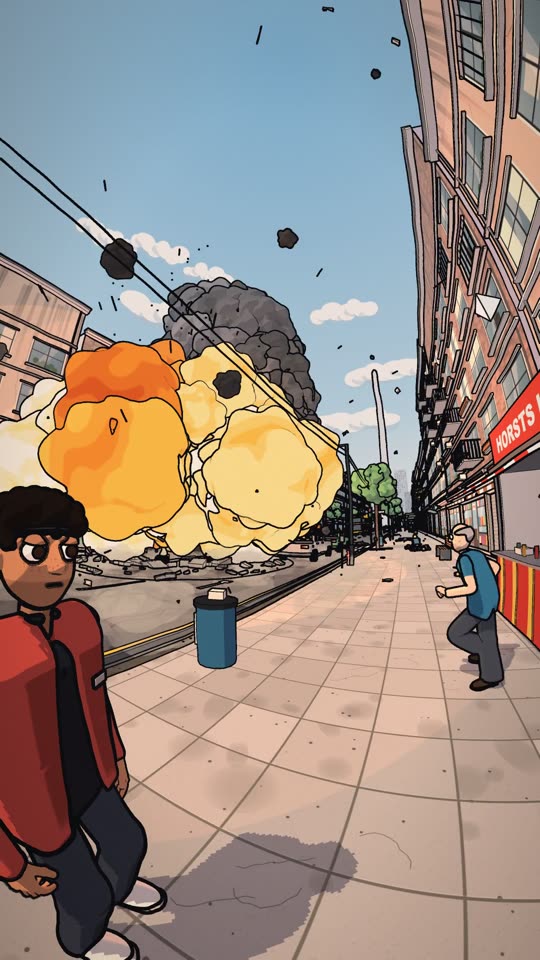
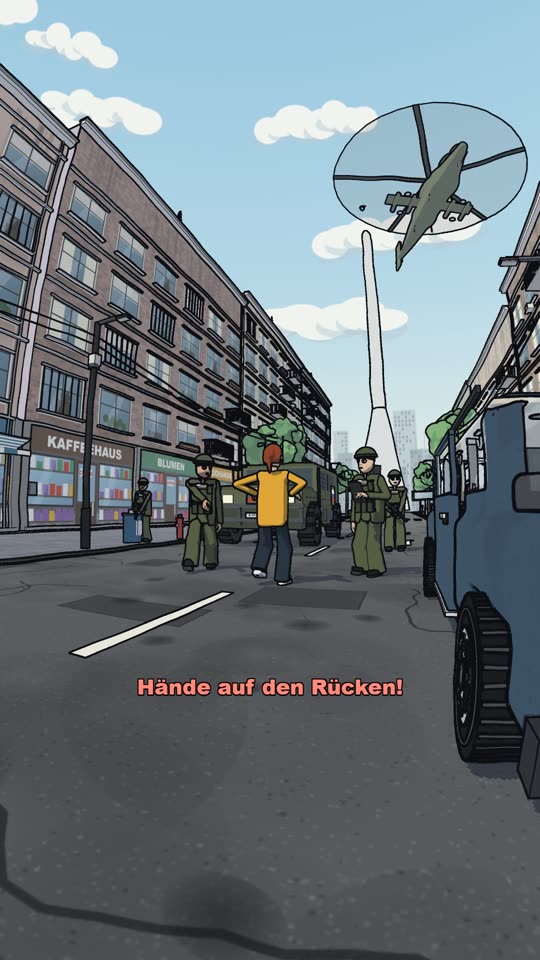
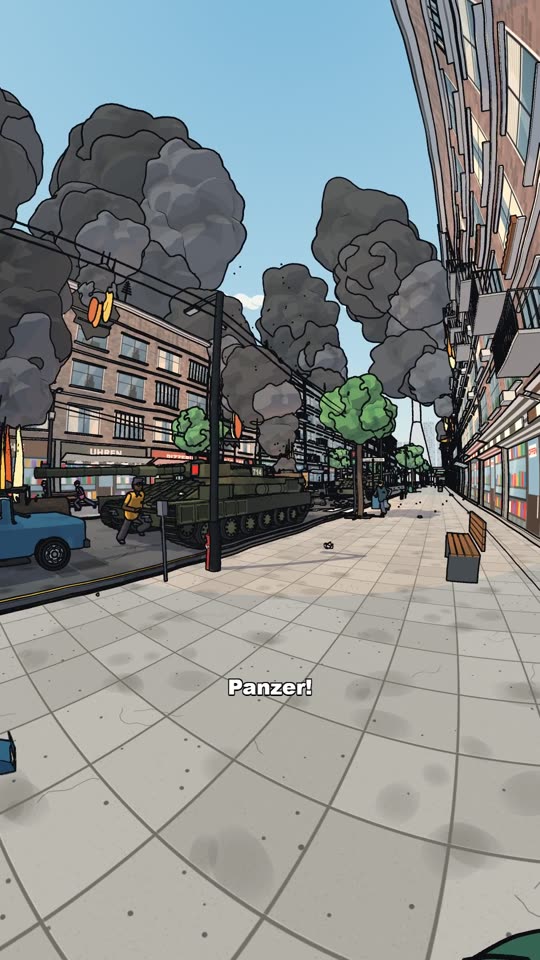
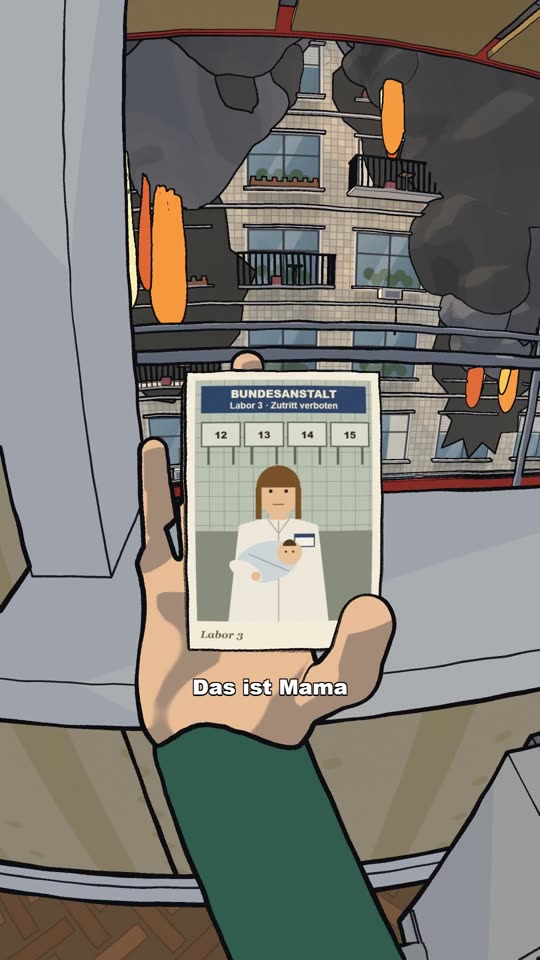
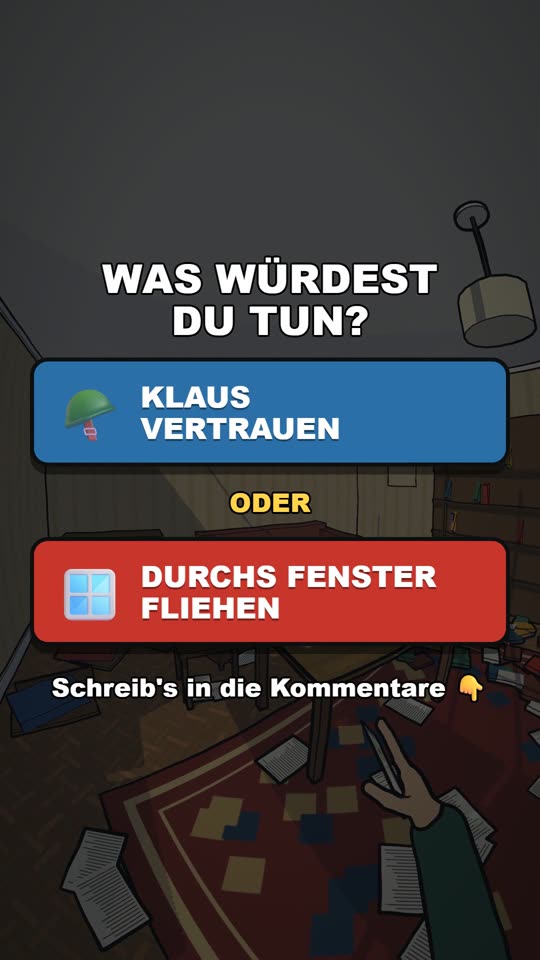
Fictional stories, written to grab attention. The same method works in English, Portuguese, Spanish, French, German and Japanese.
A story goes in.
A video comes out.
Six stages, always in the same order. After the first time, every new video becomes routine.
Idea
A story built on a question viewers need answered
idea.txtScript
A line every 2–4 s, a twist and a dilemma
script.txtVoices
One AI voice per character, in any language
voices.mp3Scenes
First-person camera, sets and people who move like people
scenesCaptions + sound
Captions synced to speech and real ambience
video.mp4Thumbnail + post
A thumbnail that gets clicks, and part 2
cover.pngYour video won't look
like every other one
The details that stop the viewer's thumb. You learn each one with a real example.
First-person lens
A wide 0.5x lens where the viewer is the main character.
Hands that act
Phones, photos and objects held the way real hands hold them.
Big visible events
Explosions, jets, crowds running: the scene changes with every line.
The dilemma screen
Two choices at the peak of tension, so the comments fill up.
One idea and
the video comes out ready
You write the idea in one sentence. The guide shows how each stage gets done for you, and what to check before you post.
- A story with a hook in the first 5 seconds
- A different AI voice for every character
- Animated first-person scenes
- Captions, sound and the final dilemma
- Thumbnail with title and post caption
From zero to
posted video
Straight to the point. Every chapter ends with something finished in your hands.
Getting everything ready
What to install, the accounts you need and how to prepare for your first video.
ready to goStories that hook
How to turn an idea into a question people have to see answered, and into a series.
topic listThe script that holds
Impact in the first 5 seconds, a slow reveal and the final dilemma.
script.txtVoices and languages
Picking natural voices for each character and launching channels in other languages.
voices.mp3Scenes and movement
How to review the scenes so characters move like real people, not robots.
scenesThumbnail and publishing
The frame, title and hook line for the thumbnail, plus a caption that drives comments.
cover.pngPart 2 and beyond
Continuing the story without losing viewers, and keeping the secret for later.
part 2More videos, more channels
A production routine, channels in other languages and ways to monetize.
your routineChecklists
Script, video and thumbnail review before you post.
checklist.pdfGot a 9-to-5?
Build a side income in your free time
After work, from home. No showing your face, no recording your voice, no editing skills: you send the idea and the computer does the heavy lifting.
Monetize your channels
Channels that grow can join the platforms' creator programs and get paid for views.
Sell ready-made videos
Pages and creators pay for animated videos made to order.
Land brand deals
With followers, brands start looking for your channel to promote products in your videos.
Earnings depend on your consistency and your content. We don't promise any amounts: we give you the method so you can produce much faster.
With animated story videos
on TikTok:
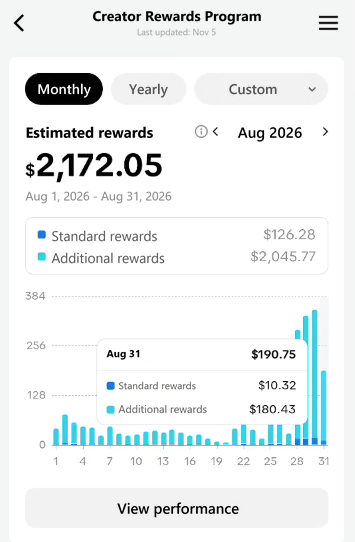
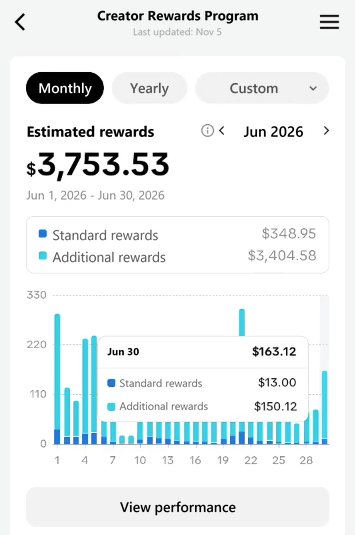
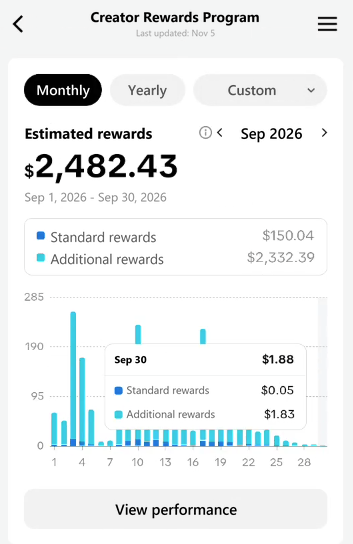
in June, August and September 2026, from TikTok's creator rewards program
- Real screenshots from my creator dashboard
- Animated videos, without showing my face or recording my own voice
Individual results from my own animated story channel, not from the POV series shown on this page. The amounts are the platform's estimates, in US dollars. Your results depend on your consistency, your content and each platform's rules.
Made for people who want to
create, not just watch
Creators
You want a new faceless channel with a format that keeps people watching.
AI-curious
You want to use AI to make something that gets results, not just play with it.
Big thinkers
You want channels in several languages to reach audiences worldwide.
Short on time
You want to post often without spending the whole day editing.
Not for you if you're looking for guaranteed money without putting in the work, or if you want to copy other people's videos. Here you learn to create your own.
Everything you need
to start today
Lifetime access · updates included
The offer ends in
This price is reserved for you for 1 hour. After that, the regular price applies.
- Complete PDF guide, from idea to posted video
- The script structure with a twist and a final dilemma
- How to make thumbnails and part 2
- Real examples from a finished series
- Script, video and thumbnail checklists
- Future updates at no extra cost
🔒 Secure checkout via Gumroad · access sent by email
Frequently asked questions
Do I need to know how to draw or code?
No. The guide explains every step in plain language. You write, review and decide; the drawing and animation are done by the tools.
Does it work on a phone?
No. The videos are made on a Windows computer with a graphics card. You can post them from your phone afterwards.
Is it only for war stories?
No. Any story told in first person works: a disaster, a secret, a mystery at school, an alien invasion. The example on this page is just one series.
Can I make videos in other languages?
Yes: English, Portuguese, Spanish, French, German and Japanese. The examples on this page come from a German channel.
How long does one video take?
Once everything is installed, a video of about 2 minutes takes around 2 hours on your computer, and you don't need to do anything for most of that time.
Are the AI tools included?
No. The guide teaches the method. The AI and voice accounts belong to other companies and are paid separately.
How do I get access?
Right after payment, Gumroad shows you the download link and also sends it to your email.
What will your
first story be?
You don't need to draw. You don't need to show your face. You just need to pick the story.
Start for $50